
Add Free Text on Amazon FBA Box Labels

The Add Free Text feature allows you to print custom information on Single SKU Box Labels when generating Amazon FBA shipment labels. This feature works through the extension and enables you to add any additional details related to the product inside the box.

  • Add extra product-related information to box labels.
  • Improve warehouse and logistics management with custom notes.
  • Enhance clarity for handling, sorting, or special instructions.

When enabled, the specified text will be added to the bottom of the Single SKU Box Label during shipment label printing.


Step by Step Guide

  1. 1
    After logging into Label Resizer, click on Shipping from the leftmost menu then select Shipping Label Settings from the sub-menu.
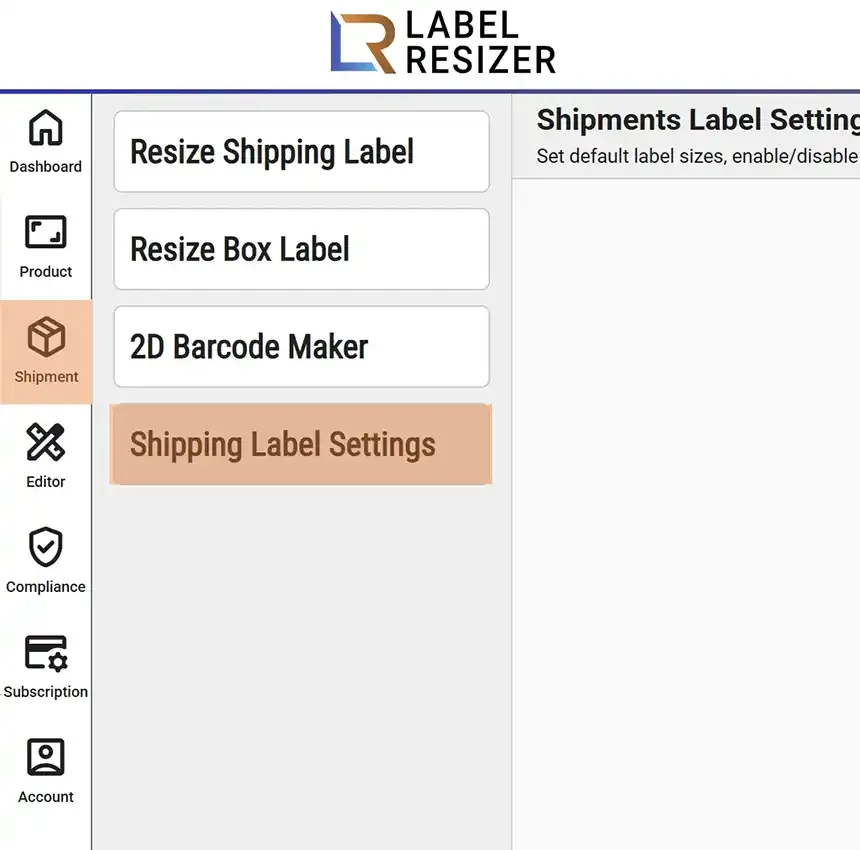
    Shipping menu
  2. 2
    Enable the Add Free Text feature and click the Save button to apply the changes.
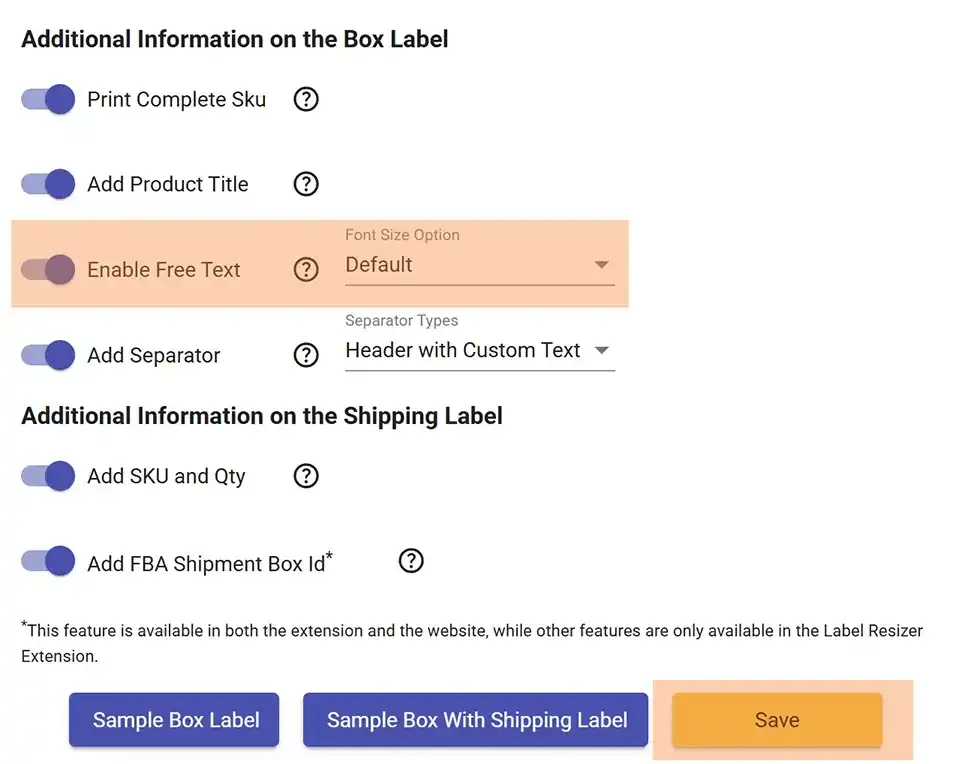
    Free text setting
  3. 3

    While using the Label Resizer extension on Amazon Seller Central to print box labels, a popup will appear allowing you to enter custom text for each product.
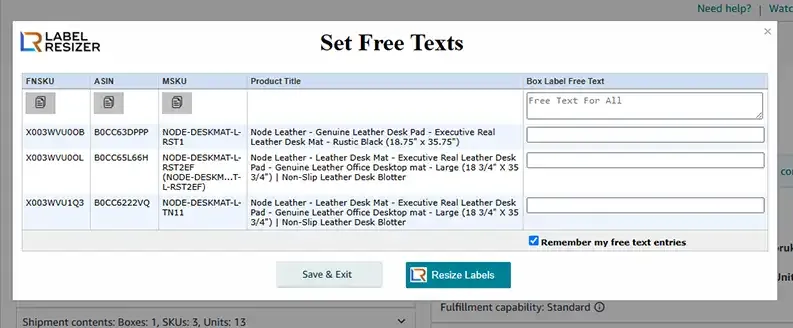
    Free text popup
  4. 4
    The entered free text will be added to the Single SKU Box Labels for the corresponding product.
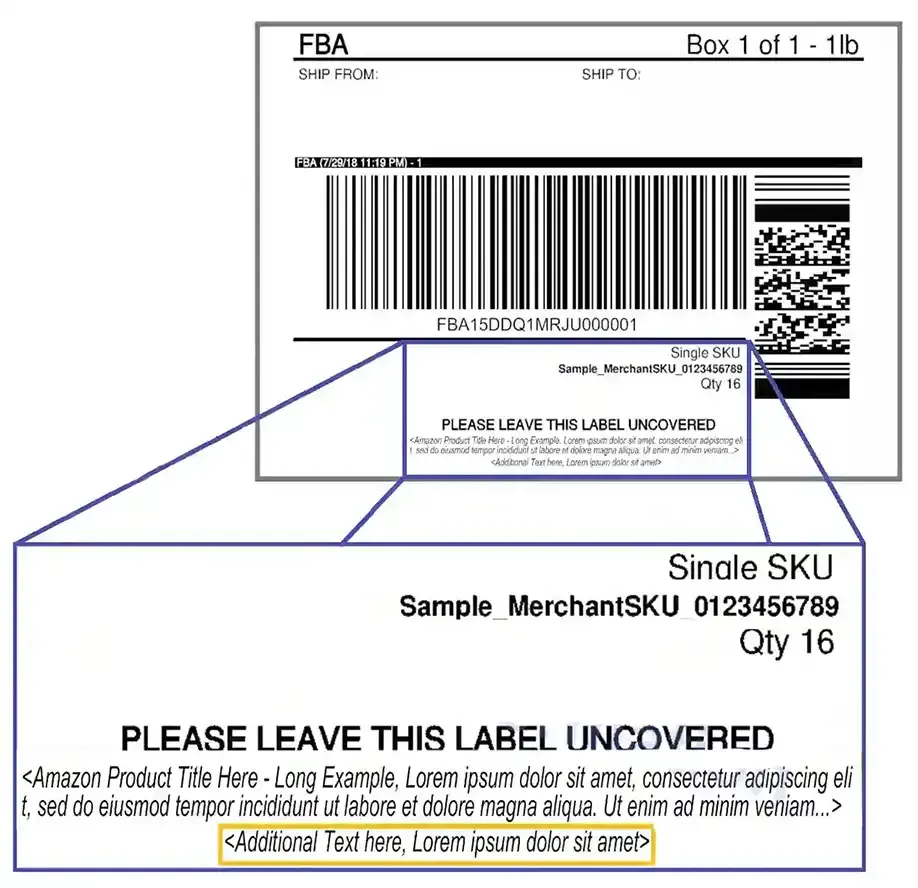
    Free text on box label