
Resize UPS Labels with Extension

The Label Resizer Extension brings full control to your UPS shipping labels directly within UPS's shipping portal.

After installing the extension, you'll see a Label Resizer button appear when you are preparing your shipment labels on UPS. By clicking this button, you can easily resize your shipping labels to match your preferred shipping label settings and label sizes.

The Label Resizer button appears on the UPS Shipping Manager and Print Labels sections.


Step by Step Guide

  1. 1
    Install the Label Resizer Extension for Chrome or Firefox.
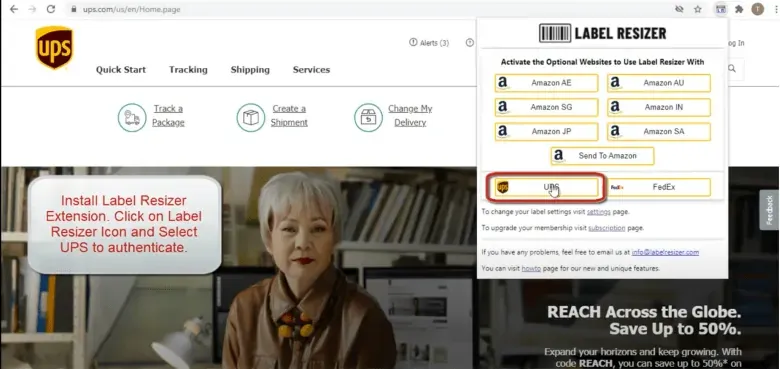
    Label Resizer Extension installed
  2. 2

    Create your UPS shipment as you normally do.
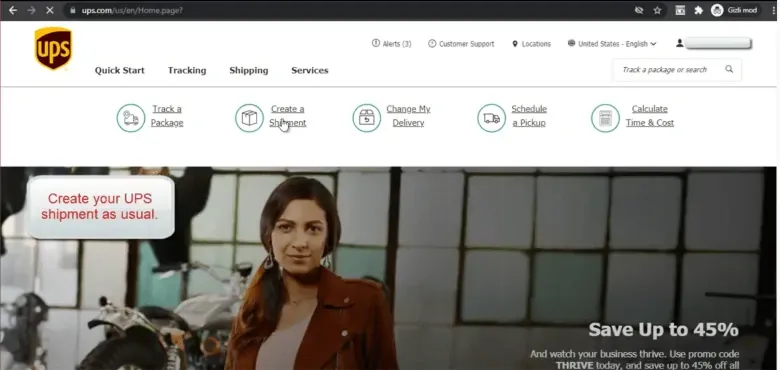
    Create UPS shipment
  3. 3
    Click on the Resize Labels button generated by the Label Resizer extension. In seconds, your customized label is generated in your preferred label size. For label size settings, visit the Label Size Setup page.
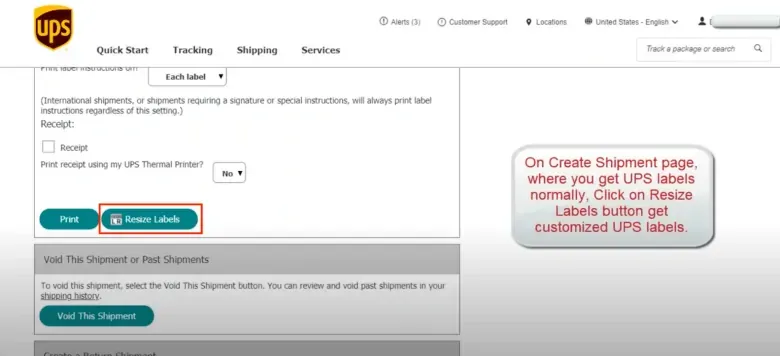
    Resize Labels button on UPS
  4. 4
    You can also resize your UPS labels on the Shipping Menu → View Shipping History page.
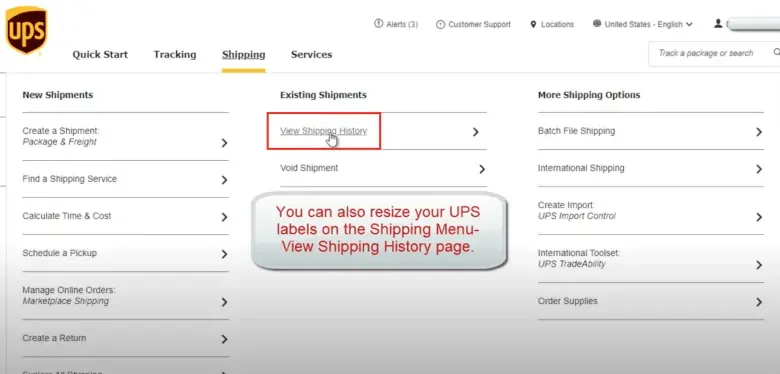
    UPS Shipping History
  5. 5
    Click on the Resize Labels button generated by the Label Resizer extension.
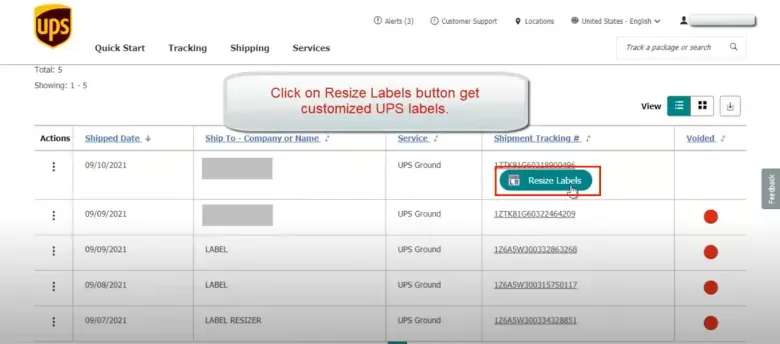
    Resize Labels on UPS Shipping History