
Step by Step Guide
Thermal Label
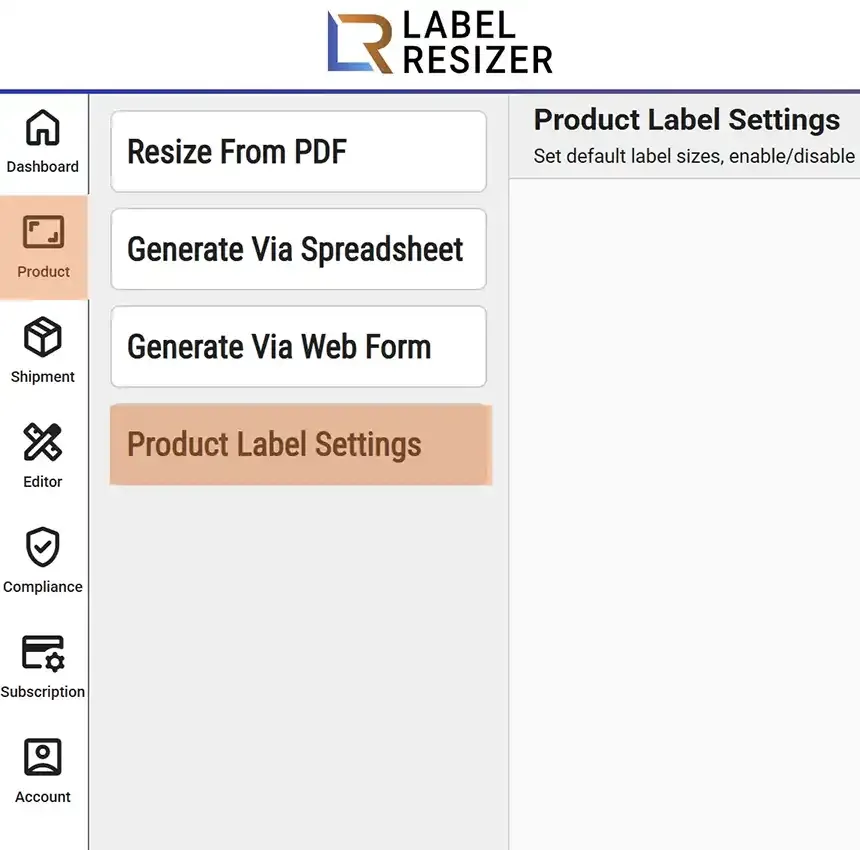
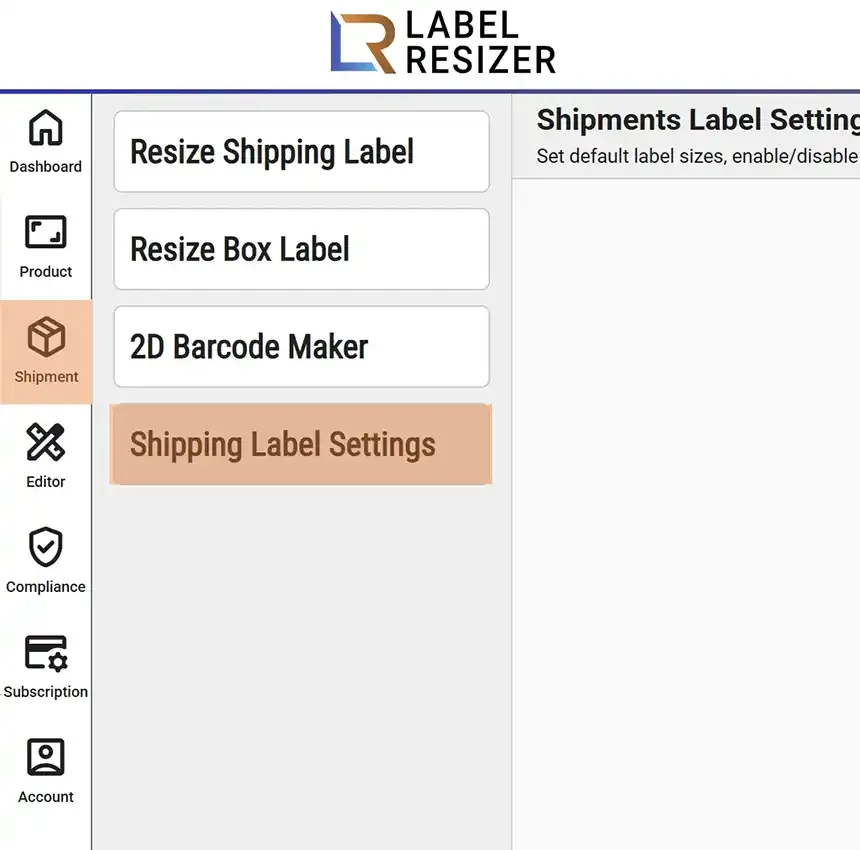
- 1After logging in, click Product from the left menu then select Product Label Settings to adjust product label size. For shipping label size click Shipping then Shipping Label Settings.
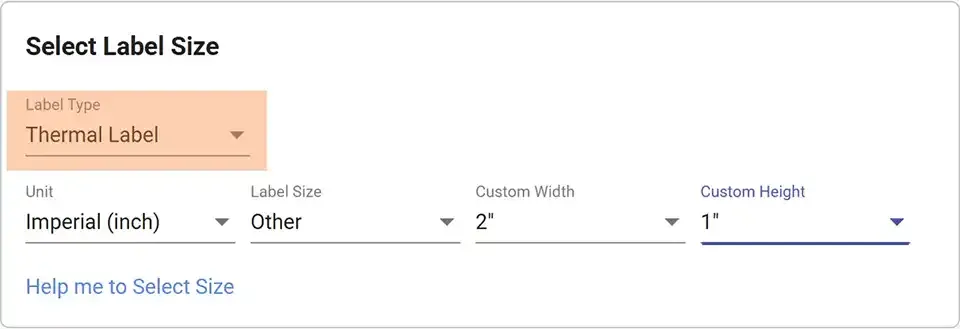
- 2Select Thermal Label from the Label Type dropdown. Choose metric or imperial units, then pick a predefined size. If your size is not listed, select Other and enter custom width and height. Click Save.
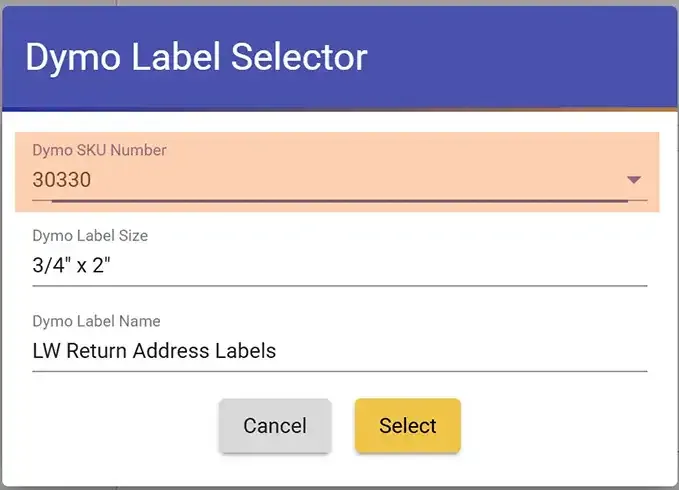
- 3To select size by DYMO SKU number, click Help me to Select Size. In the popup choose the DYMO SKU number then click Select.
Paper / Sticker Label
- 1
Navigate to Product Label Settings or Shipping Label Settings as described above.
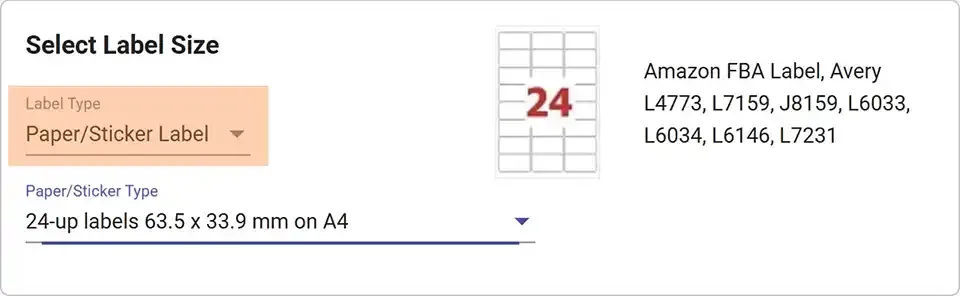
- 2Select Paper/Sticker Label from the Label Type dropdown. Choose a sheet label size - Avery codes and layout previews are shown. Click Save.
Up Thermal Label
- 1
Navigate to Product Label Settings or Shipping Label Settings as described above.
- 2Select Up Thermal Label from the Label Type dropdown. Choose metric or imperial, then select a predefined size. Use Other for a custom size.
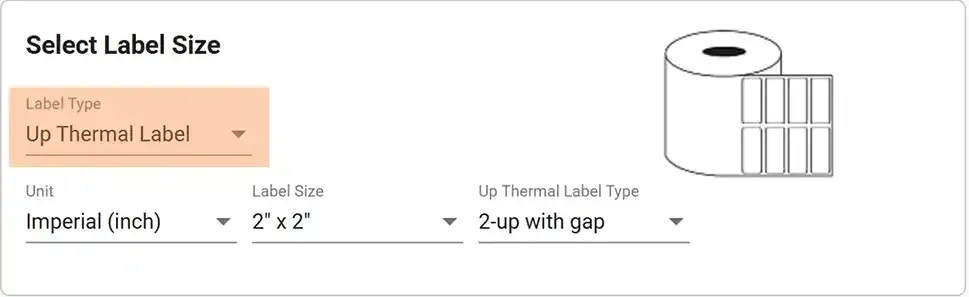
- 3Set the Up Thermal Label type from the dropdown - choose 2-Up or 3-Up with or without gap. Click Save.