Step by Step Guide
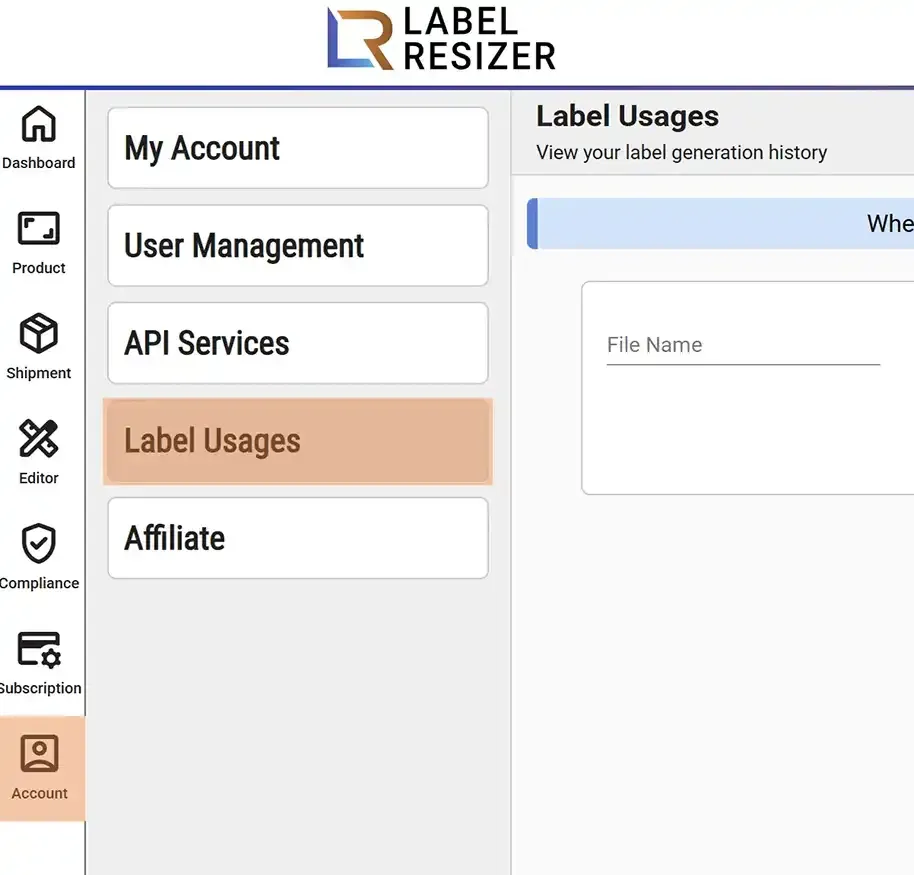
- 1From the menu, go to Account and select Label Usages.
- 2
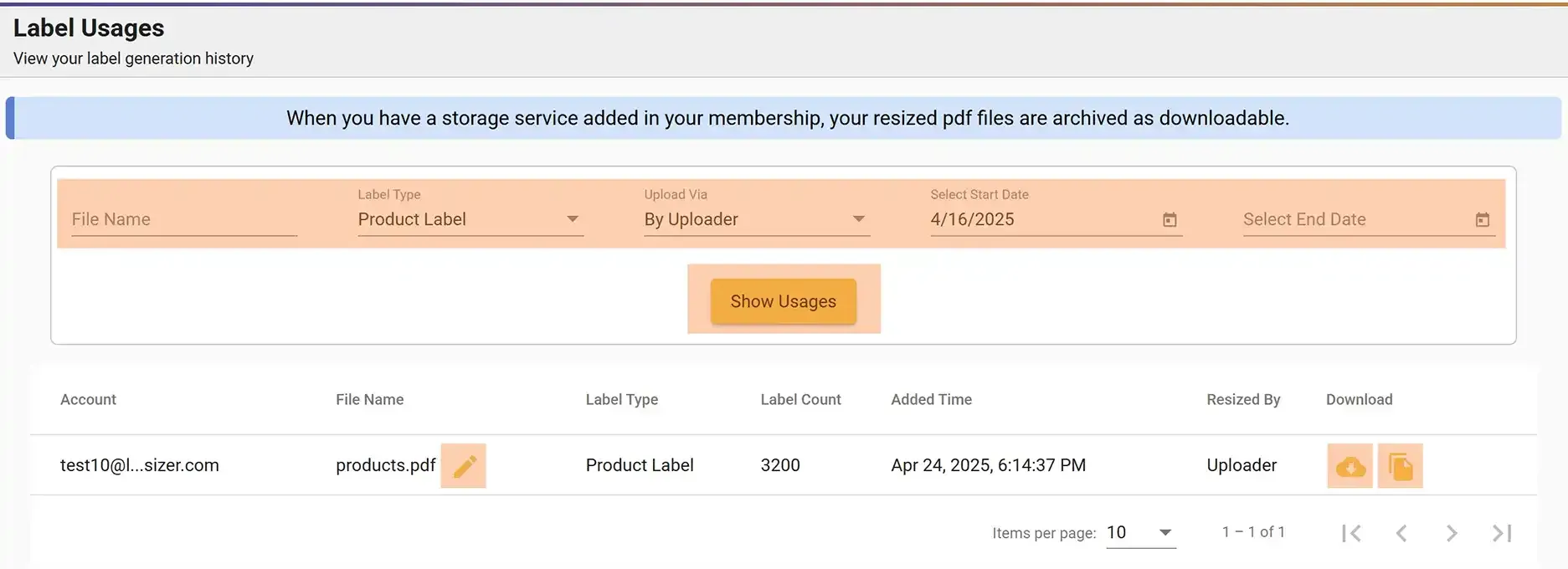
On the Label Usages page, you will find various filters to refine your resize history. You can search by date, name, type, and more.
- After selecting the required filter, click the Show Usages button to display results.
- If you do not select any filters, all results will be displayed.
- Click the Download button to retrieve your labels.
- You can also share your labels by clicking the Copy Link button.