
Step by Step Guide
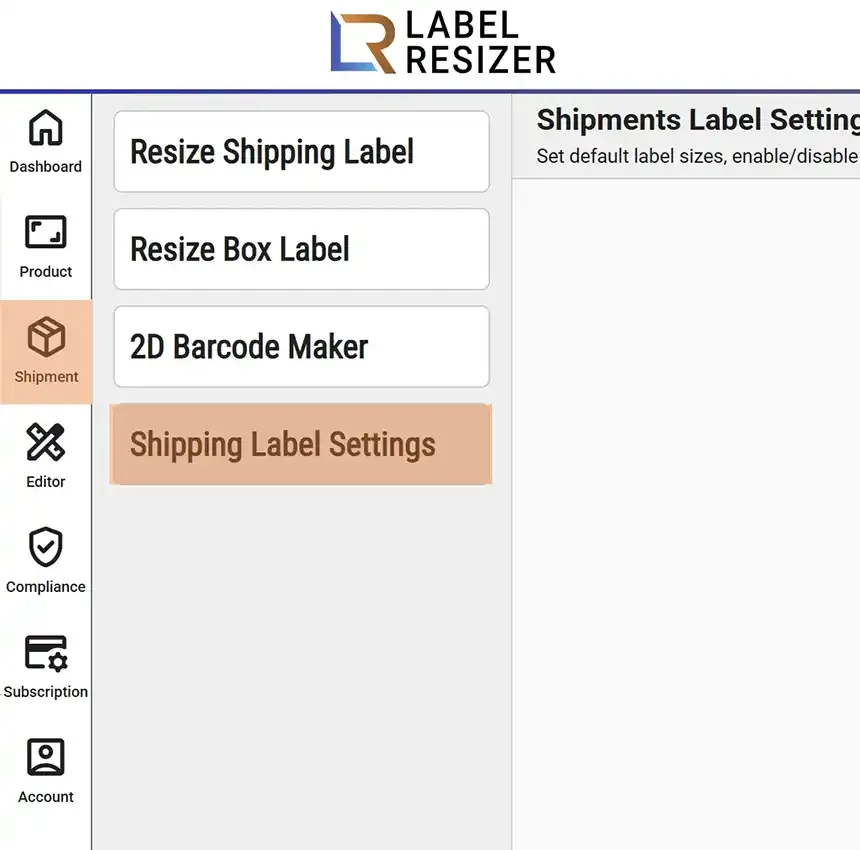
- 1After logging into Label Resizer, click on Shipping from the leftmost menu then select Shipping Label Settings from the sub-menu.
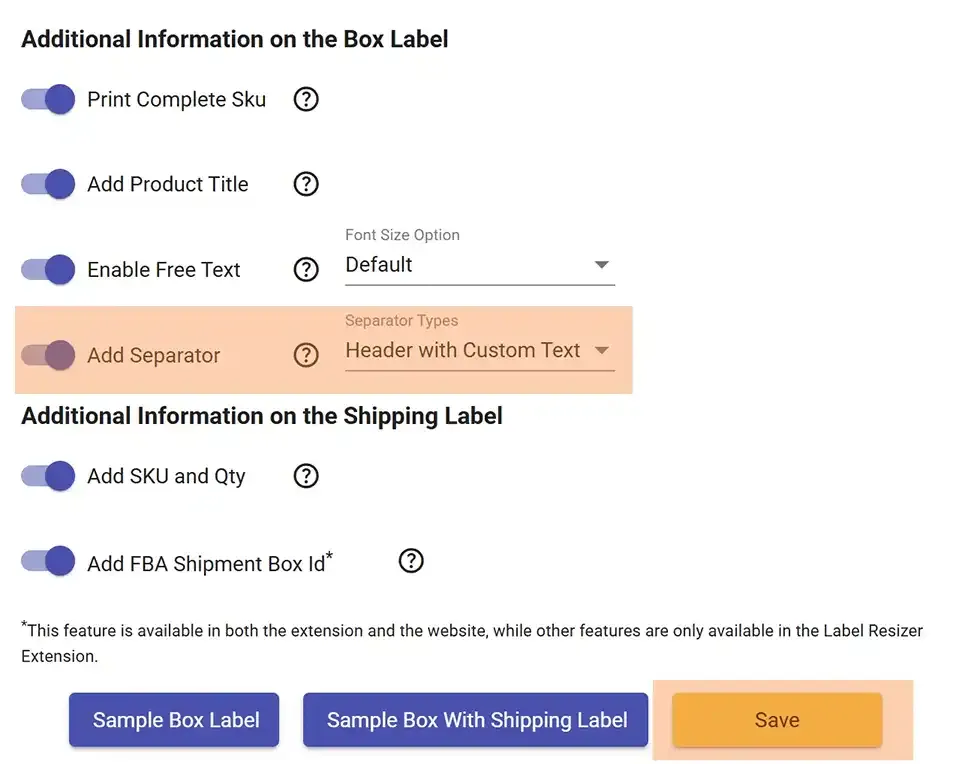
- 2Enable the Add Separator feature, select the Separator Type, and click the Save button to apply the changes.
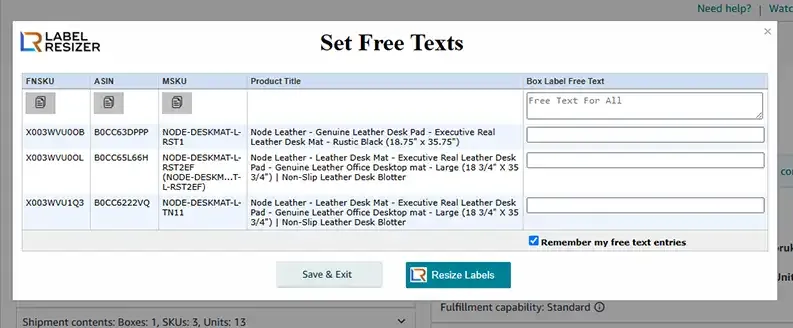
- 3If you selected Header with Custom Text, a popup will appear when printing labels through the extension. Enter the separator text for each SKU in the popup.
- 4If you selected Page Break, the system will automatically add a page break when switching to a new Single SKU Box in Paper/Sticker Type or Up Thermal label formats.