
Using Browser Extension for Walmart WFS Shipping Labels

With the Label Resizer Extension, you can also generate and enhance your Walmart WFS shipping labels directly inside Walmart Seller Center without leaving the platform.

Once you install the extension, a Label Resizer button will automatically appear on the shipping label generation pages inside Walmart Seller Center. By clicking this button, you can quickly create your shipping labels with enhanced options based on your saved settings in Label Resizer.


Step by Step Guide

  1. 1
    Install the Label Resizer Extension for Chrome or Firefox.
  2. 2

    The extension icon is automatically highlighted as soon as Walmart Seller Center is active.
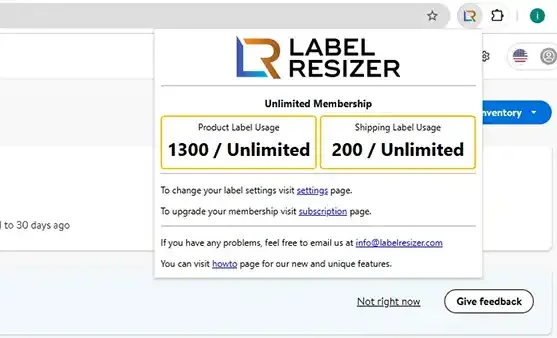
    Extension active on Walmart Seller Center
  3. 3
    The extension locates the "Resize Labels" buttons on Walmart Seller Center shipping label pages.
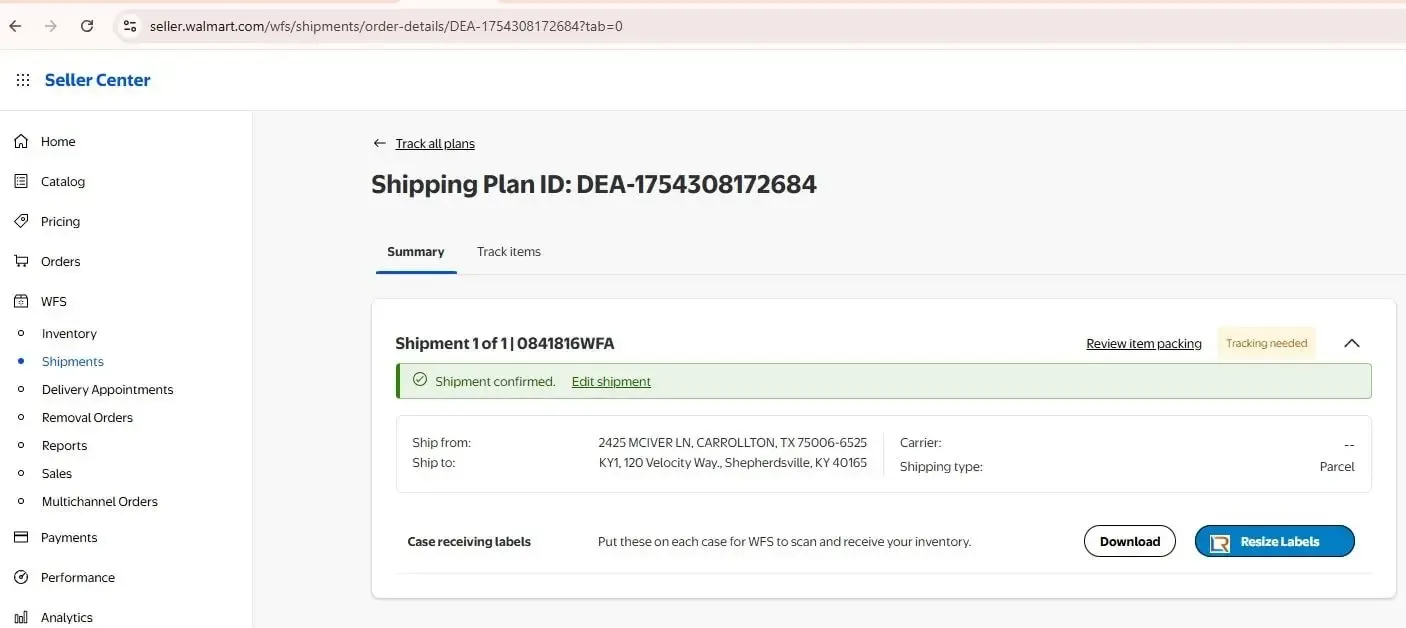
    Resize Labels button on Walmart shipping page
  4. 4

    Click the Resize Label button to get your resized shipping label in line with your settings. Label Resizer opens the new labels in a new tab and downloads the PDF file.
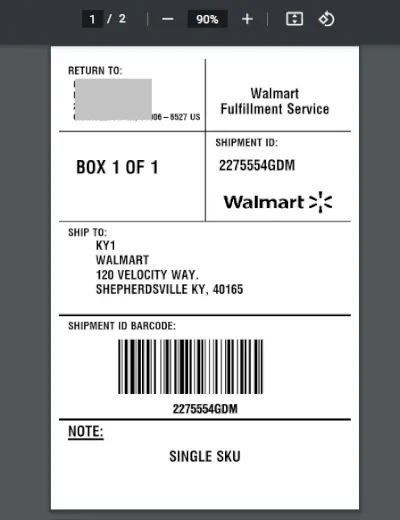
    Generated Walmart WFS shipping labels