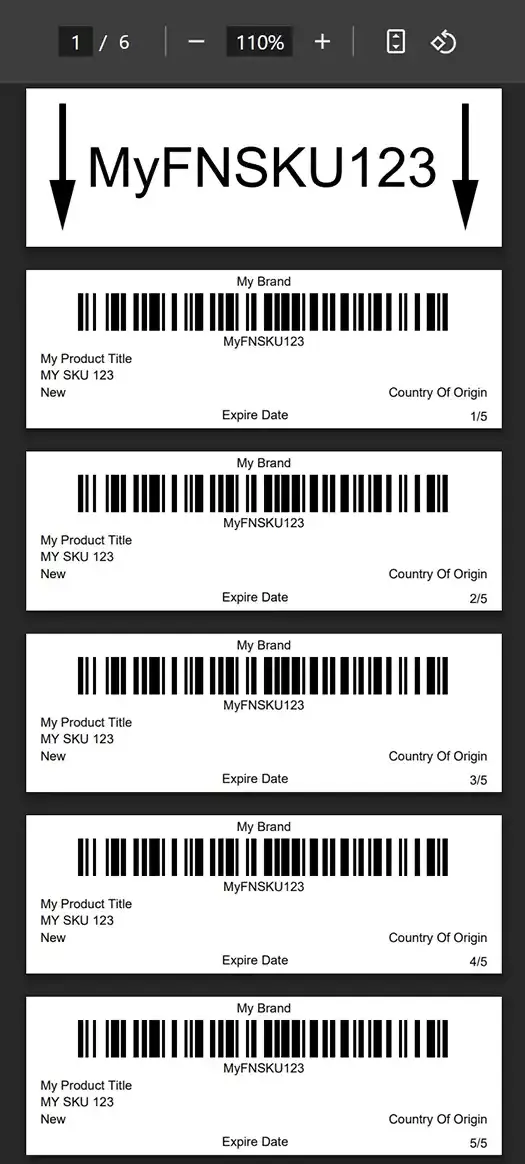
Step by Step Guide
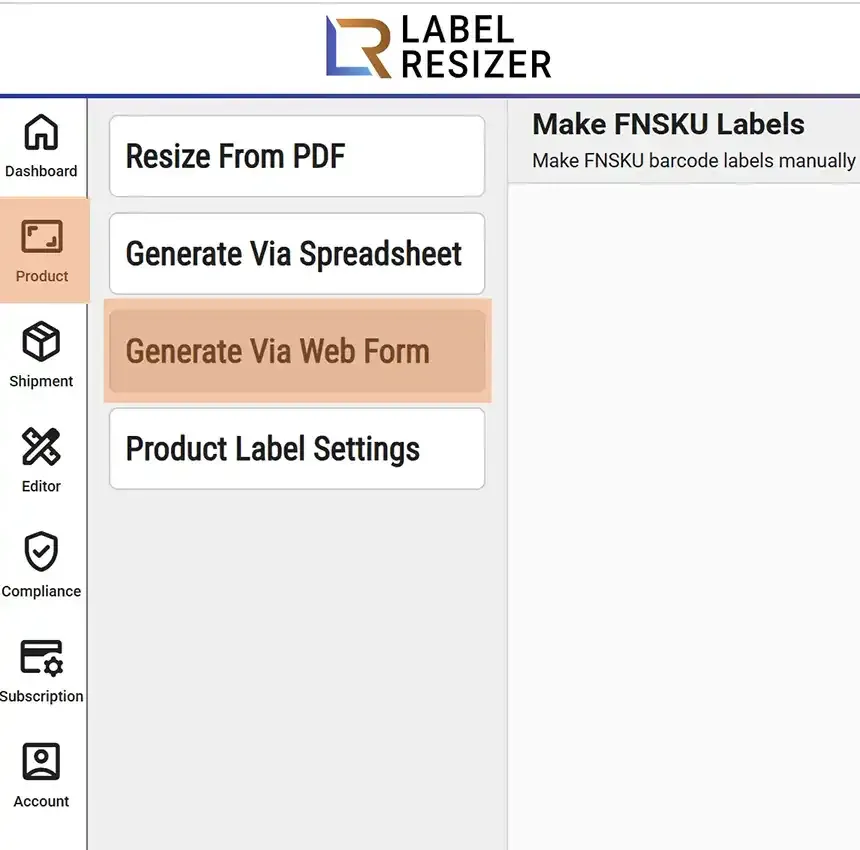
- 1After logging into Label Resizer, click on Product from the leftmost menu, then select Generate Via Web Form from the sub-menu.
- 2
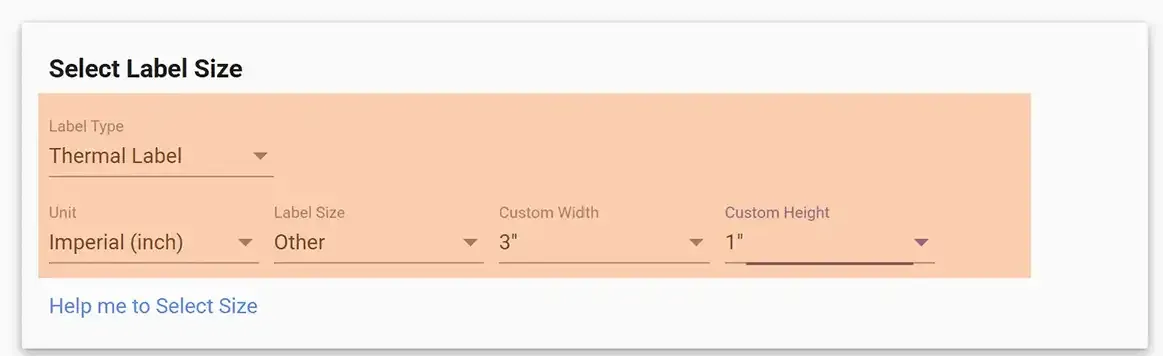
First determine the Label Type, then adjust your settings such as quantity and label size details.
- 3
Set the FNSKU barcode label information - ASIN number, product title, condition info, and MSKU. Type your inputs and see your FNSKU design on screen in real time.
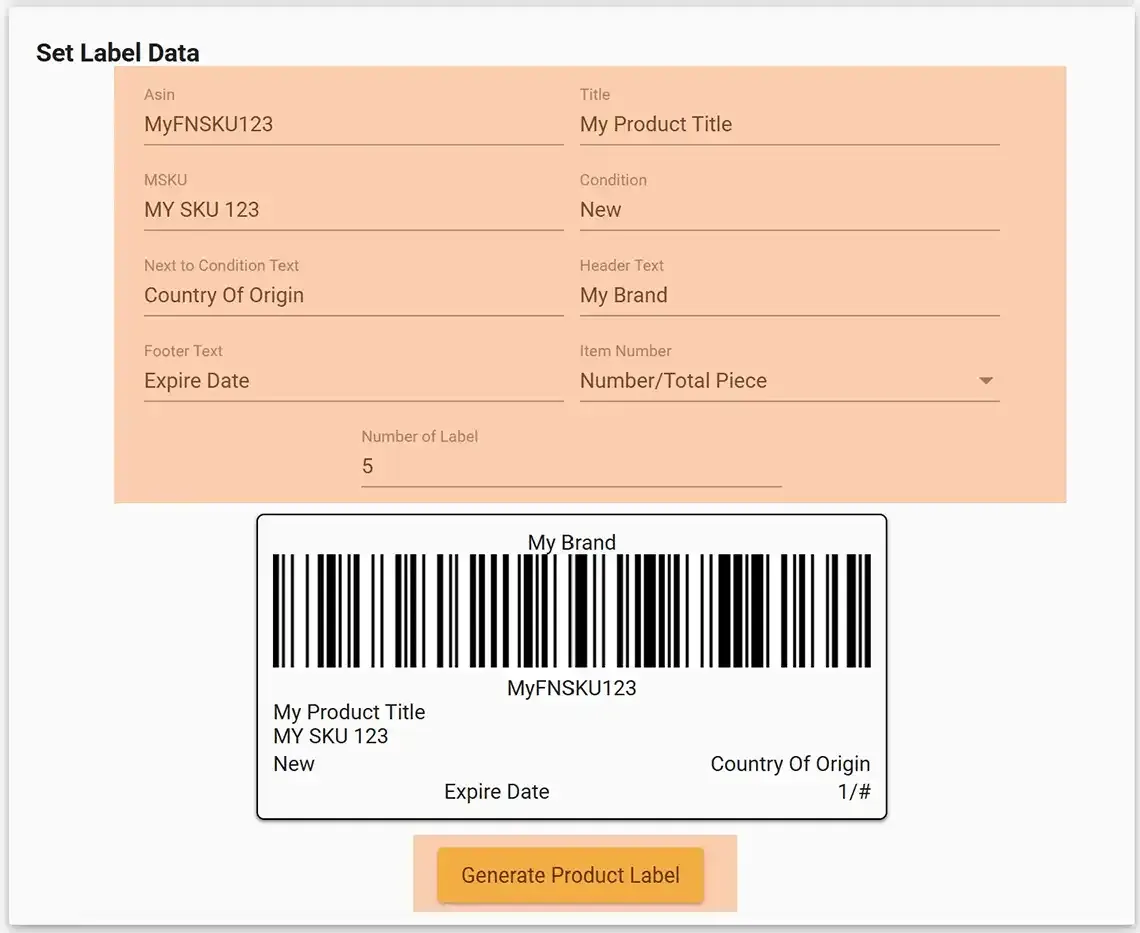
- 4Click the Make FNSKU Label button. Your labels will be downloaded as a PDF file and opened in a new browser tab.