
Print Product Complete Title Feature

The Print Complete Title feature, available via the extension, ensures that the full product name is clearly displayed on the label.

On Amazon-generated labels, product names are often truncated to fit within the label size, which can make it difficult to identify the correct product. This can lead to confusion and label mix-ups, where the wrong label is applied to a product.

With the Print Complete Title feature enabled, the full product name is printed without truncation. If the name is too long to fit, the font size is automatically reduced to accommodate the text. If it still doesn't fit, the middle part of the name will be replaced with ellipses ("..."), preserving the beginning and end for better clarity.

This feature eliminates truncation, ensuring accurate and clear labeling to prevent product mix-ups.


Step by Step Guide

  1. 1
    After logging into Label Resizer, click on Product from the leftmost menu then select Product Label Settings from the sub-menu.
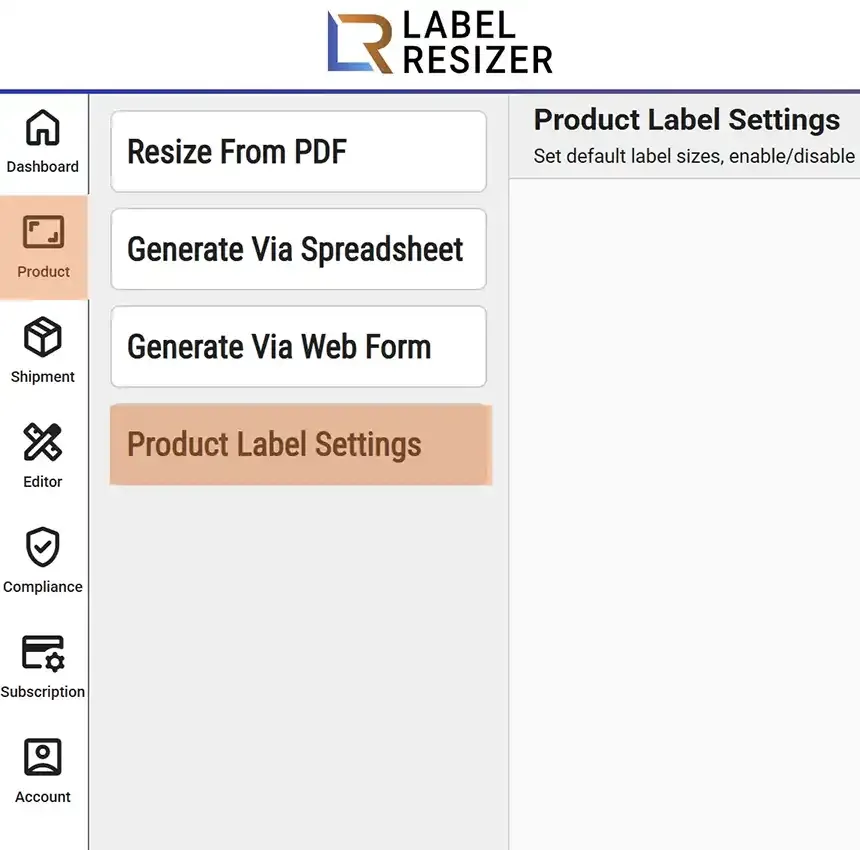
    Product menu
  2. 2
    In product settings, enable the Print Complete Title slider to get the complete title on your label. Then save settings.
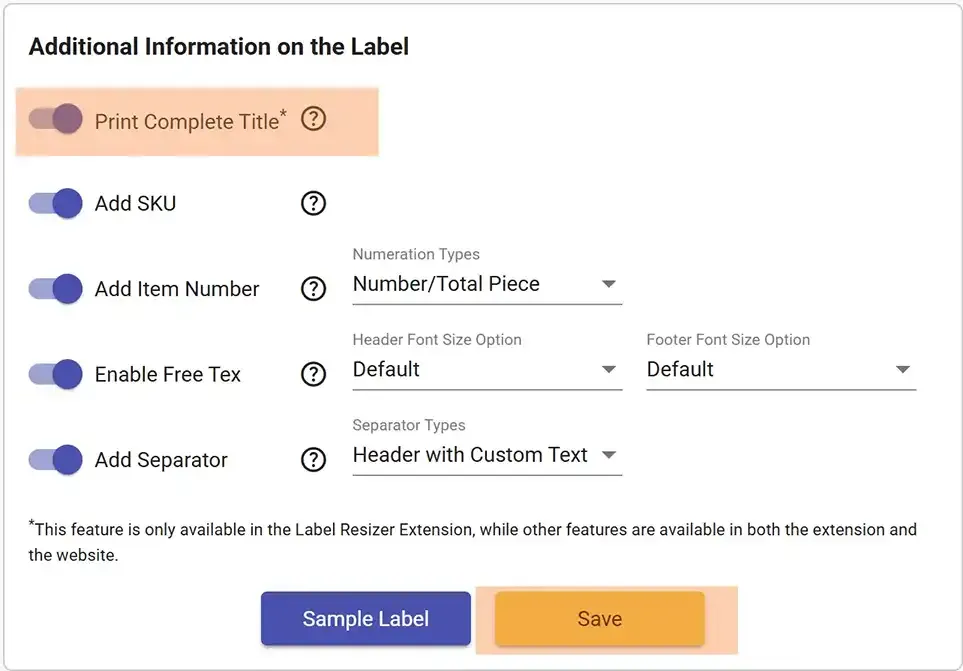
    Complete title setting
  3. 3

    After enabling print title, whenever you resize labels via extension the whole title of the product will be inserted into product labels without shortening.
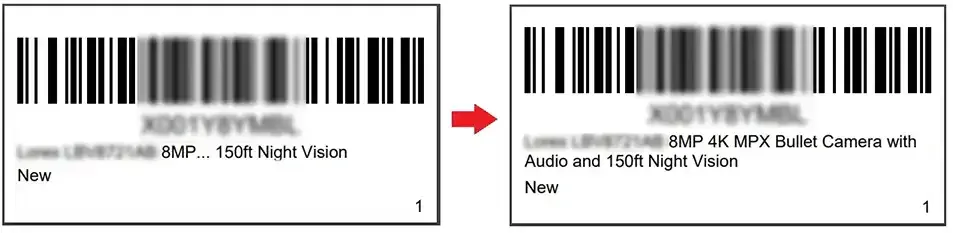
    Complete title result