Step by Step Guide
- 1Install the Label Resizer Extension for Chrome or Firefox.
- 2
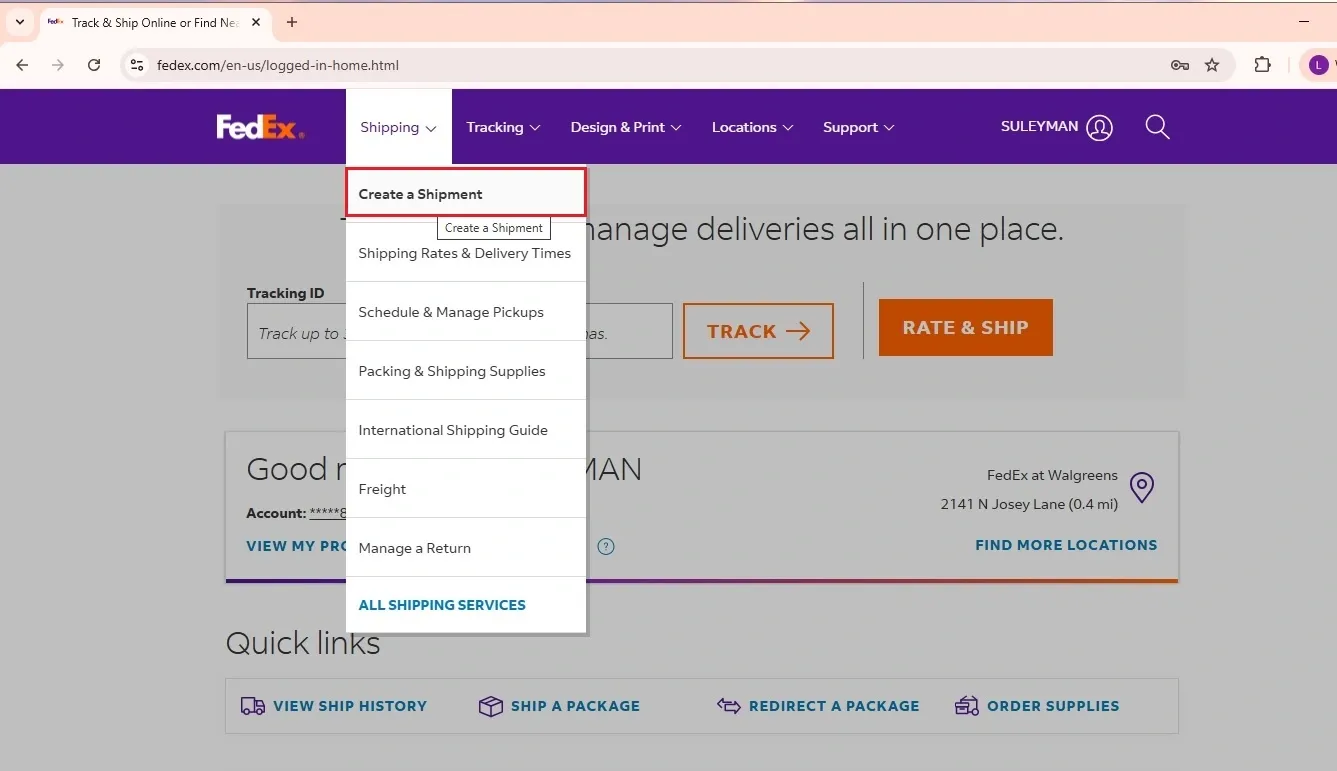
Create your FedEx shipment as you normally do.
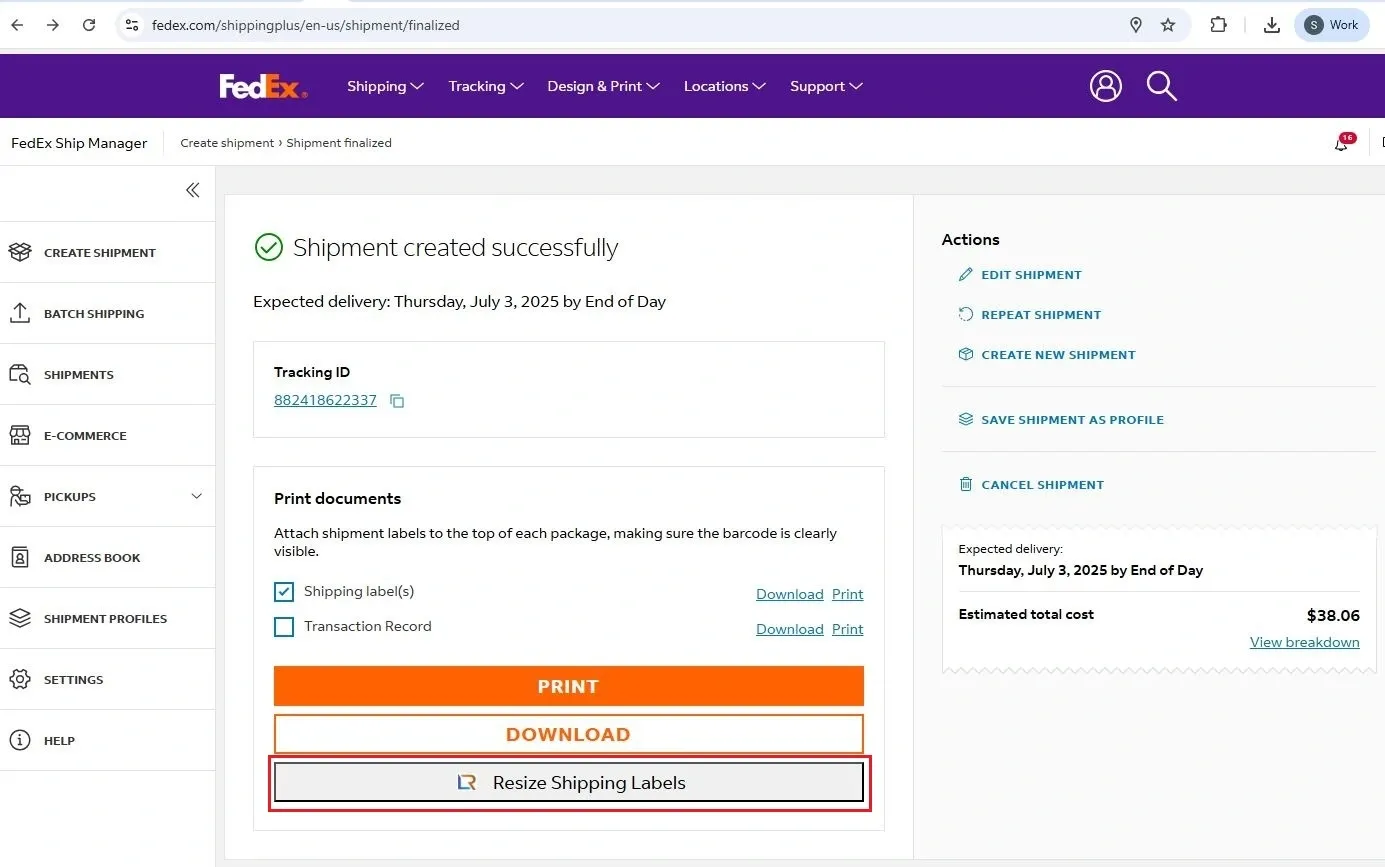
- 3Once your shipment is successfully created, you'll see the Label Resizer's Resize Shipping Label button appear under the Print Documents section.
- 4Click on the Resize Shipping Label button. In seconds, your customized label is generated in your preferred label size. For label size settings, visit the Label Size Setup page.
- 5
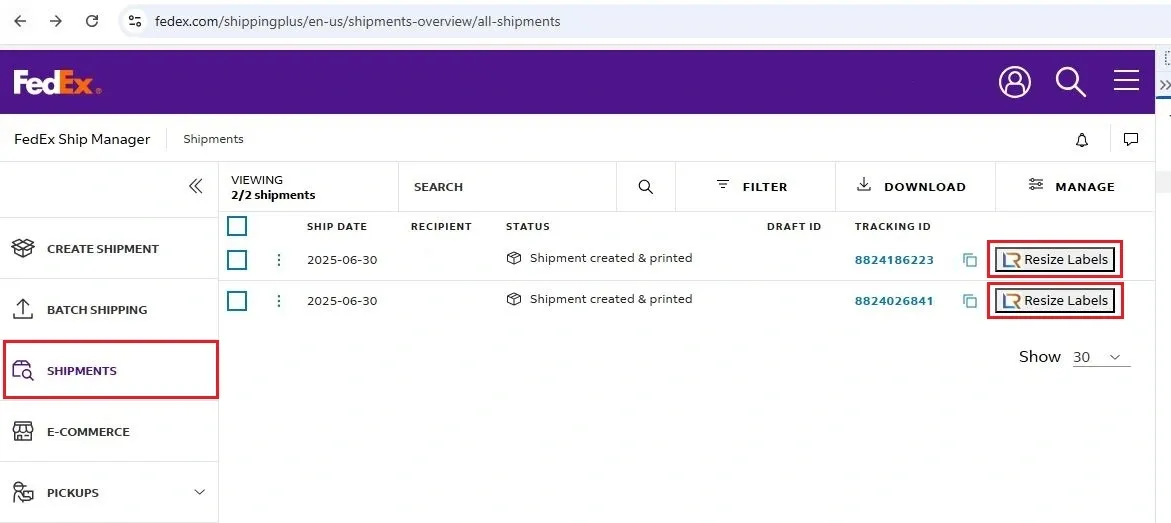
You can also resize your FedEx labels on the Ship History page.
- 6
You'll see the Label Resizer-generated buttons next to each shipment in the list.
- 7Click on the Resize Labels button generated by the Label Resizer extension.