
The FNSKU Fields menu provides access to Label Resizer's custom-defined dynamic elements. These special fields are primarily used for dynamic text insertion, allowing your label designs to work not only with spreadsheet upload, but also seamlessly with PDF upload (label PDFs from Amazon and Walmart) and the Label Resizer Chrome and Firefox extensions which work in Amazon Seller Central and Walmart Seller Center.
All fields under the FNSKU Fields menu are system-defined dynamic elements. Once added to the canvas, each field can be freely resized, repositioned, and styled to suit your design preferences. However, these elements are internally controlled, which means their names are fixed and cannot be edited. Additionally, you can only add one instance of each field type to a design.
If you add any other dynamic elements outside of this menu, your design will not work within the LS Extension or PDF Upload. However, you can freely add static components (such as shapes, icons, or images) in addition to these fields without affecting compatibility.
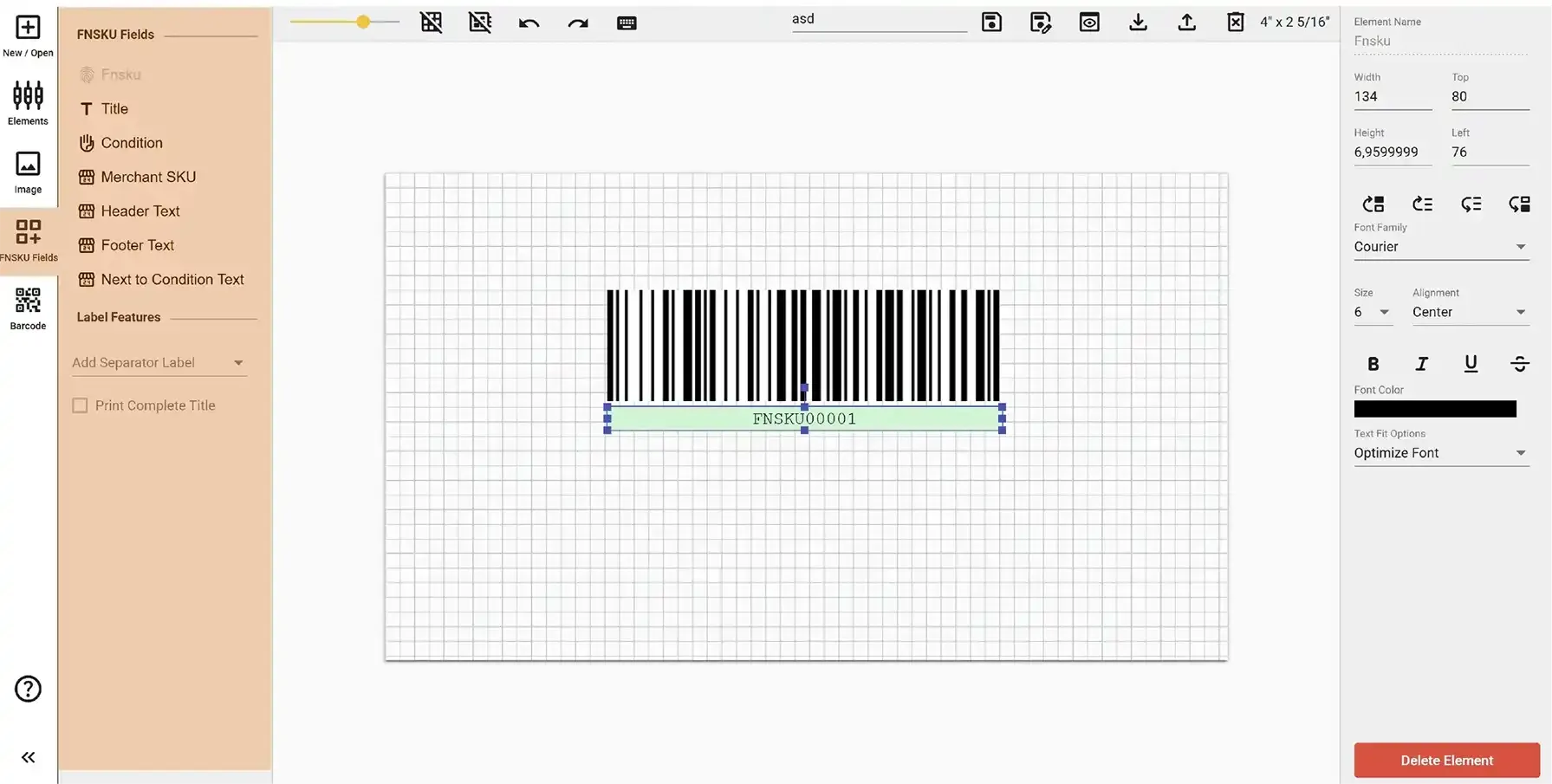
The FNSKU field corresponds to the product identifier used by Amazon (ASIN and FNSKU) or Walmart (UPC or GTIN). When you add this field to your label, Label Resizer automatically maps it to the relevant product data - either through the extension or PDF upload.
Along with the FNSKU value, a Code 128 barcode is also added automatically. This barcode represents the value of the FNSKU or other product ID you assigned. You can delete the barcode if you want to display only the product ID as text.
The Title field is used to display the product name as listed in your Amazon or Walmart catalog. When added to your label, Label Resizer automatically pulls the corresponding product title from your data source - whether you're using the Chrome/Firefox extension or PDF upload.
The Condition field is specific to Amazon and is used to display the product's condition, such as New, Used - Like New, or Refurbished. When you add this field to your label, Label Resizer automatically maps it to the appropriate condition value from your product data.
The Merchant SKU field is used to display the product's MSKU (Merchant Stock Keeping Unit), which serves as the seller-defined identifier for a product in both Amazon FBA and Walmart WFS systems. When you add this field to your label, Label Resizer automatically maps it to the correct SKU from your product data via the extension or PDF upload.
The Header Text, Footer Text, and Next to Condition Text fields are pre-defined dynamic text elements that allow you to input custom text during the label generation process. They are essentially elements that enable Label Resizer's Free Text feature to be used within the Label Editor.