Step by Step Guide
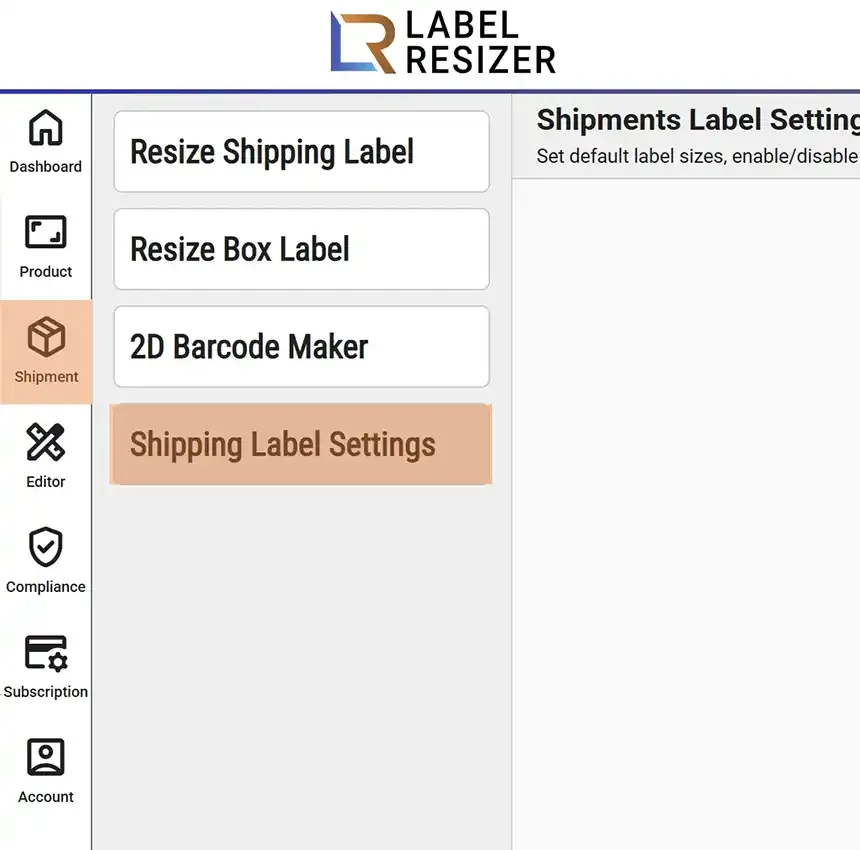
- 1After logging into Label Resizer, click on Shipping from the leftmost menu then select Shipping Label Settings from the sub-menu.
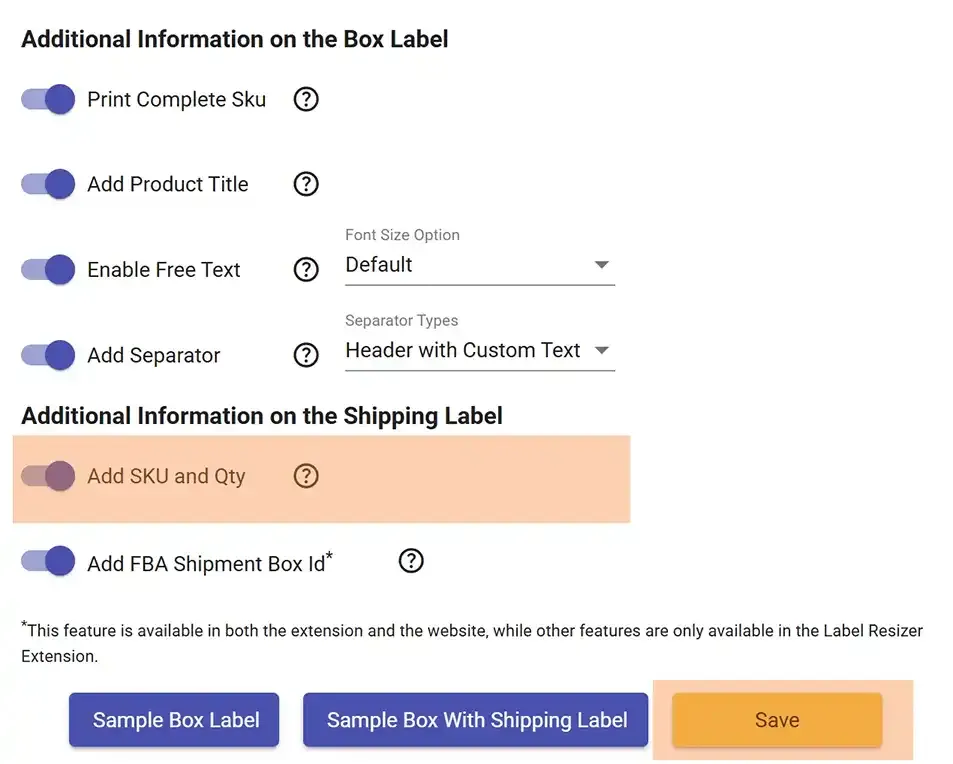
- 2Enable the Add FBA Shipment Box ID feature and click the Save button to apply the changes.
- 3
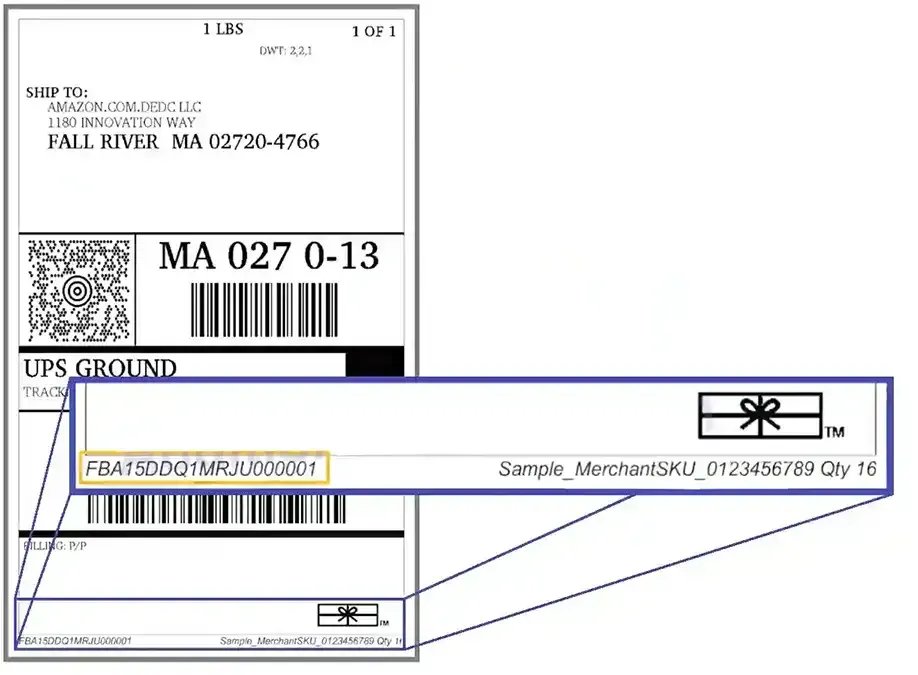
Once enabled, the Box ID will automatically appear on the associated shipment labels, ensuring better tracking and organization of your shipments.