
Add Product Title on Amazon FBA Box Labels

The Add Product Title feature allows the full product name to be printed beneath Single SKU Box Labels. This feature is designed specifically for Amazon FBA Box Labels and works through the extension.

  • Ensures the complete product title is clearly visible on the label.
  • Helps prevent shipping mistakes by making product identification easier.
  • Improves warehouse and inventory management by providing more detailed label information.

When enabled, the full product title will be included on Amazon FBA Single SKU Box Labels during shipment label printing via the extension.


Step by Step Guide

  1. 1
    After logging into Label Resizer, click on Shipping from the leftmost menu then select Shipping Label Settings from the sub-menu.
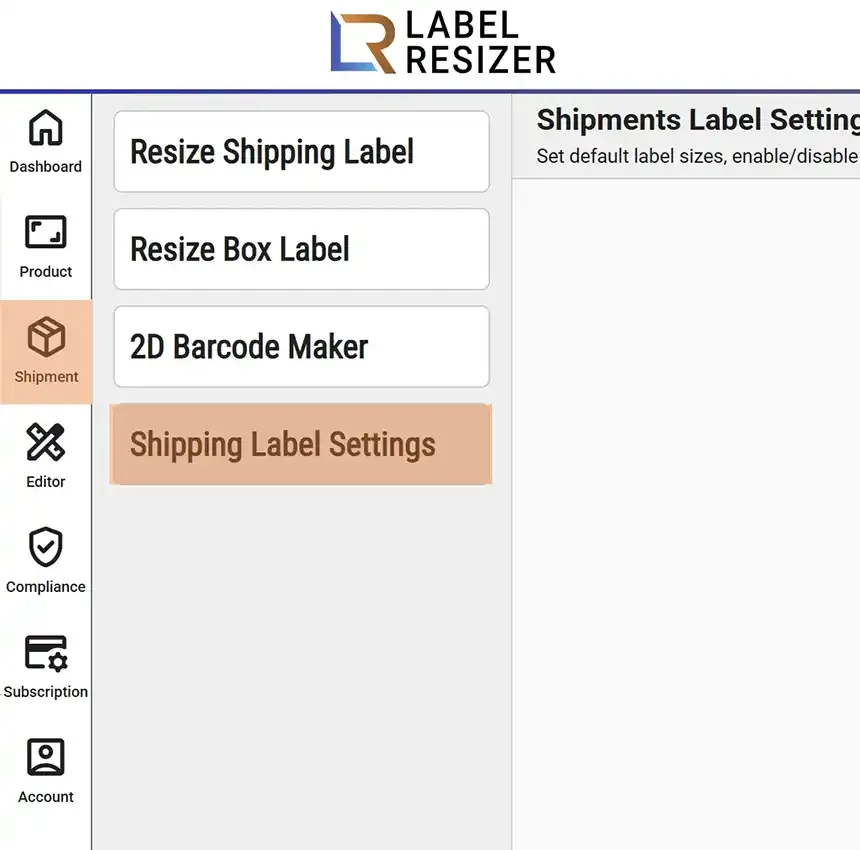
    Shipping menu
  2. 2
    Enable the Add Product Title feature and click the Save button to apply the changes.
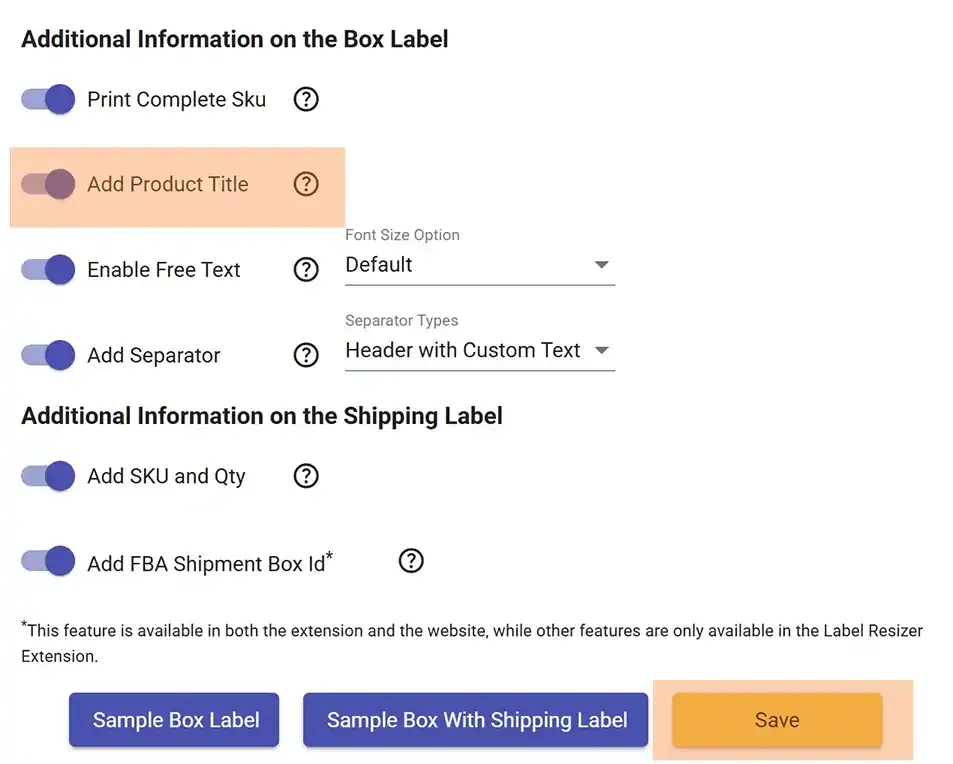
    Add product title setting
  3. 3
    After enabling this, it will be applied to Single SKU Box Labels when printing through the extension for Amazon FBA Box Labels. The full product title will be printed beneath the label.
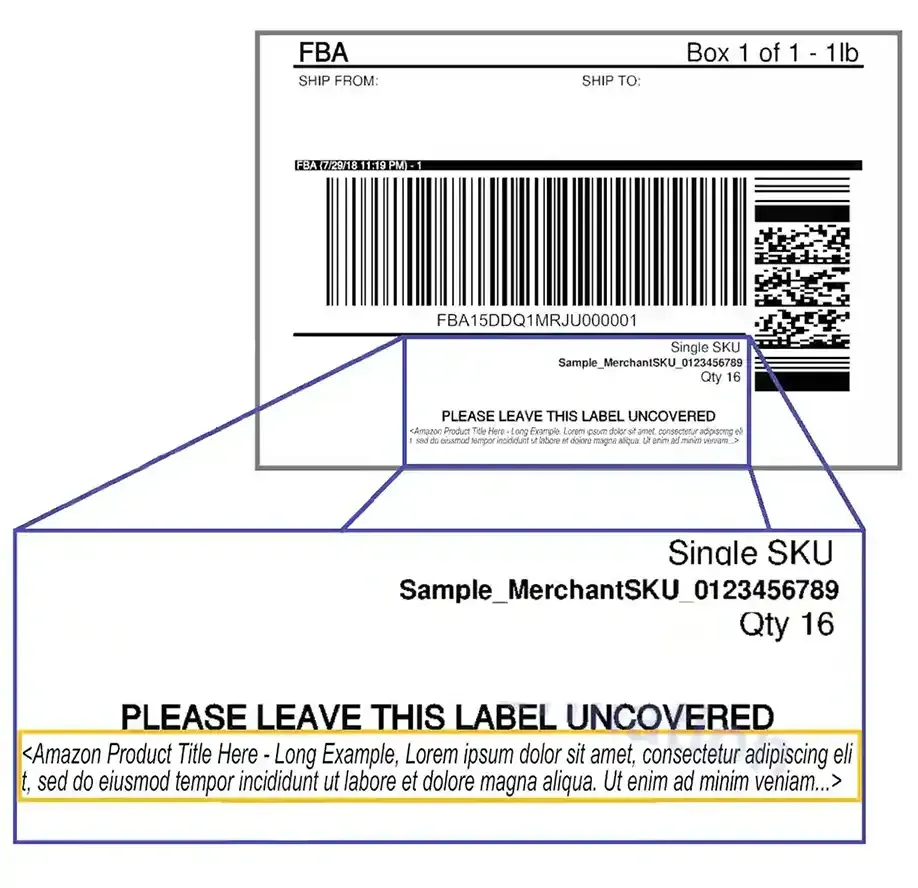
    Product title on box label